Privacy SettingsWe use cookies and similar technologies on our website and process personal data. We also share this data with other services. Data processing can be based on your consent or on a legitimate interest, which you can object to in your individual privacy settings. You have the right to consent only to essential services and to change or withdraw your consent at a later time in the privacy policy.Accept allDeclineIndividual privacy settingsSome services process personal data in unsafe third countries. By giving your consent, you also agree to the data processing by the marked services in accordance with [relevant legal provisions/regulations]. {{legalBasis}} to, with risks such as inadequate legal remedies, unauthorized access by authorities without information or possibility of objection, unauthorized disclosure to third parties and inadequate data security measures.You are under {{minAge}} Are you 18 years old? Then you cannot consent to optional services. You can ask your parents or guardians to consent to these services with you.You are under {{minAge}} Are you 18 years old? Unfortunately, you cannot consent to this service yourself to view this content. Please ask your parents or guardians to consent to the service with you!By accepting all services, you allow that {{services}} These are loaded. They are grouped according to their purpose. {{serviceGroups}} subdivided (membership indicated by superscript numbers).Also will {{services}} summoned on the basis of a legitimate interest.Your consent also applies to {{websites}}.{{name}} blocked due to privacy settingsShow all services you still need to agree to.Accept required services and load contentIf you load the blocked content, your privacy settings will be adjusted. Content from this service will no longer be blocked in the future. You have the right to revoke or change your decision at any time.History of privacy settingsRevoke consentYou have successfully withdrawn your consent for services with their cookies and processing of personal data. The page is now reloading!Change privacy settingsWe use cookies and similar technologies on our website and process personal data about you (e.g., your IP address). We also share this data with third parties. Data processing may be based on your consent or on a legitimate interest, which you can object to. You have the right to consent only to essential services and to change or withdraw your consent at a later time in the privacy policy. Below you will find an overview of all services used by this website. You can view detailed information about each service and consent to it individually or exercise your right to object.Save individual selectionsView service informationHide service informationShow moreHideShow more details (%s)Hide further details (%s)OtherUse on a legal basis ofConsent to the processing of personal dataConsent to the storage of or access to information on the user's terminal equipmentLegitimate interest in processing personal dataProvision of an explicitly requested digital service for storing or accessing information on the user's terminal equipmentFulfillment of a legal obligation to process personal dataArt. 49 para. 1 lit. a GDPRArticle 17 paragraph 1 letter a GDPR (Switzerland)Legitimate InterestconsentWe have detected that you are a crawler/bot. Only natural persons may consent to cookies and the processing of personal data. Therefore, the link has no function for you.Technical cookie definitionsTechnical Cookie NameCookies usedCookie renewalUses cookie-like information (LocalStorage, SessionStorage, IndexDB, etc.)HostDurationNo expiryTypePurposePurposesDescriptionOpt-outCookies can be set to store objections to the described behavior.Privacy settings: HistoryJump to consent optionsShow consents fromThe consent form could not be read. Please try again later!Not yet agreedOffererPhoneE-mailContact formPrivacy PolicyImprintNon-standardized data processingSome services use cookies and/or process personal data without complying with the standards for obtaining consent. These services are divided into several groups. So-called "essential services" are used based on a legitimate interest and cannot be deselected (an objection must be made by email or letter in accordance with the privacy policy), while all other services are only used after consent has been given.Data processing in third countriesSecurity mechanisms for data transmissionStandard Contractual ClausesAdequacy decisionEUSwitzerlandBinding internal data protection regulationsContractual guarantee for standard contractual clauses with sub-processorsSecondMinuteHourTagsMonthYearSecondsMinutesHoursDaysmonthsyearsCloseClose without savingJaNoUnknownNothingNo license activated - no production use!Product license not for production use!Learn more and Suitable guaranteesData processing in unsafe third countriesFulfillment of a legal obligationFeaturesEssential services are required for the basic functionality of the website. They only contain technically necessary services. These services cannot be objected to.Real Cookie Banner requests website visitors' consent to the setting of cookies and the processing of personal data. For this purpose, each website visitor is assigned a UUID (pseudonymous user identifier) that remains valid until the cookie used to store the consent expires. Cookies are used to test whether cookies can be set, to store a reference to the documented consent, to record which services from which service groups the visitor has consented to, and, if consent is obtained according to the Transparency & Consent Framework (TCF), to store consents to TCF partners, purposes, special purposes, functions, and special features. In accordance with the GDPR's disclosure requirements, the collected consent is fully documented. This includes, in addition to the services and service groups to which the visitor has consented, and, if consent is obtained according to the TCF standard, to which TCF partners, purposes, and functions the visitor has consented, all settings of the cookie banner at the time of consent, as well as the technical circumstances (e.g., size of the viewing area at the time of consent) and the user interactions (e.g., clicking on buttons) that led to the consent. Consent is collected once per language.Unique identifier for the consent, but not for the website visitor. Revision hash for the cookie banner settings (texts, colors, functions, service groups, services, content blockers, etc.). IDs for consented services and service groups.Consents collected as part of TCF, stored in TC-string format, including TCF vendors, purposes, special purposes, features, and special functions.The consents collected in Google Consent Mode for the different consent types (purposes) are stored for all services compatible with Google Consent Mode.Cookie set to test the functionality of HTTP cookies. Is deleted immediately after the test.Unique identifier for the consent, but not for the website visitor. Revision hash for the cookie banner settings (texts, colors, functions, service groups, services, content blockers, etc.). IDs for consented services and service groups. Only stored until the consent is documented on the website server.Consent collected as part of TCF is stored in TC string format, including TCF Vendors, Purposes, Special Purposes, Features and Special Features. Only stored until the consent is documented on the website server.Consents collected as part of Google Consent Mode are stored in consent types (purposes) for all services compatible with Google Consent Mode. Only stored until the consent is documented on the website server.Local caching of the selection in the cookie banner until the server documents the consent; documentation is attempted periodically or when changing pages if the server is unavailable or overloaded.FunctionalFunctional services are necessary to provide features beyond the essential functionality of the website, such as nicer fonts, video playback or interactive Web 2.0 features. Content from video and social media platforms, for example, is blocked by default and can be approved. If the service is agreed to, this content will be loaded automatically without further manual consent.The Instagram Feed plugin allows us to display our Instagram feed directly on the website.Gravatar is a service that allows users to link their email address to an avatar image, which is then displayed, for example, in the comments section. No cookies in the technical sense are placed on the user's computer, but technical and personal data, such as the IP address, are transmitted from the user's computer to the service provider's server to enable the service to function.We use the Contact Form 7 plugin to manage contact form submissions. The information is sent as email messages that only a select few are allowed to access.WordPress Emoji is an emoji set loaded from wordpress.org. No cookies in the technical sense are set on the user's client, but technical and personal data such as the IP address are transferred from the client to the service provider's server to enable the use of the service.Vimeo allows content published on vimeo.com to be embedded directly into websites. Cookies are used to collect information about visited web pages and detailed statistics about user behavior. This data can be linked to data from users registered on vimeo.com.Google Fonts is a service that downloads fonts not installed on the user's device and embeds them into the website. No cookies in the technical sense are placed on the user's device, but technical and personal data, such as the IP address, are transmitted from the client to the service provider's server to enable the service to function.YouTube allows the direct embedding of content published on youtube.com into websites. Cookies are used to collect information about visited websites and detailed statistics about user behavior. This data can be linked to data from users logged in to youtube.com and google.com.StatisticsStatistical services are needed to collect pseudonymized data about website visitors. This data allows us to better understand our visitors and optimize the website.Google Analytics is a service for generating detailed statistics on user behavior on the website. Cookies are used to distinguish users, store campaign-related information for and from the user, and link data from multiple page views.MarketingMarketing services are used by us and third parties to record the behavior of individual users, analyze the collected data, and, for example, display personalized advertising. These services allow us to track users across multiple websites.The cookies used are so-called non-tracking cookies. Popup-Maker tracks popup views and conversions anonymously. Furthermore, Popup-Maker does not send any user data outside of this website.You have denied the necessary privacy settings for the Instagram Feed Plugin.This contact form is blocked because you have declined the necessary cookies for secure use. You can accept the required services later or send us an email directly to info@bizlearn.deThe video from Vimeo was blocked because you did not allow it to load.The video from YouTube was blocked because you did not allow it to load.
AI Design for Designcenter NXSimon Worzischeck2026-11-11T12:33:53+00:00
AI-powered CAD design for Designcenter NX
Turn your idea into a designthat you can keep developing.
Create parametric 3D models and further develop existing designs in a targeted manner. Our AI CAD assistant works in Designcenter NX with features, parameters, and reference elements. Changes are made to the existing design – instead of replacing it with a newly generated model.
Whether it's a 2D drawing, photo, STL or existing CAD model: the focus is on a parametric design that you can continue working on.
Your CAD model combines geometry with design logic: features, parameters, and references determine how a change will affect the result. Assemblies, 2D drawings, and further processing steps can then build upon this foundation.
Our tools modify this existing structure. They adjust parameters and relationships, add necessary features, and remove superfluous elements. This allows the design to continue and, if necessary, to be methodically restructured.
Reuse design work
The existing model history with its feature tree remains the starting point. You further develop your model and can build upon previously established construction logic.
Reduce the risk of broken references
Retaining existing features and reference elements helps preserve links in assemblies, drawings and other model references. This reduces the risk of having to reassign them after a change.
Further develop the method
A change can extend beyond just new dimensions. Model structure, reference structure, and feature sequence can be adapted to a different design or manufacturing method.
METHODOLOGY ON OUR OWN NX TEST MODEL
The change should affect the right elements.
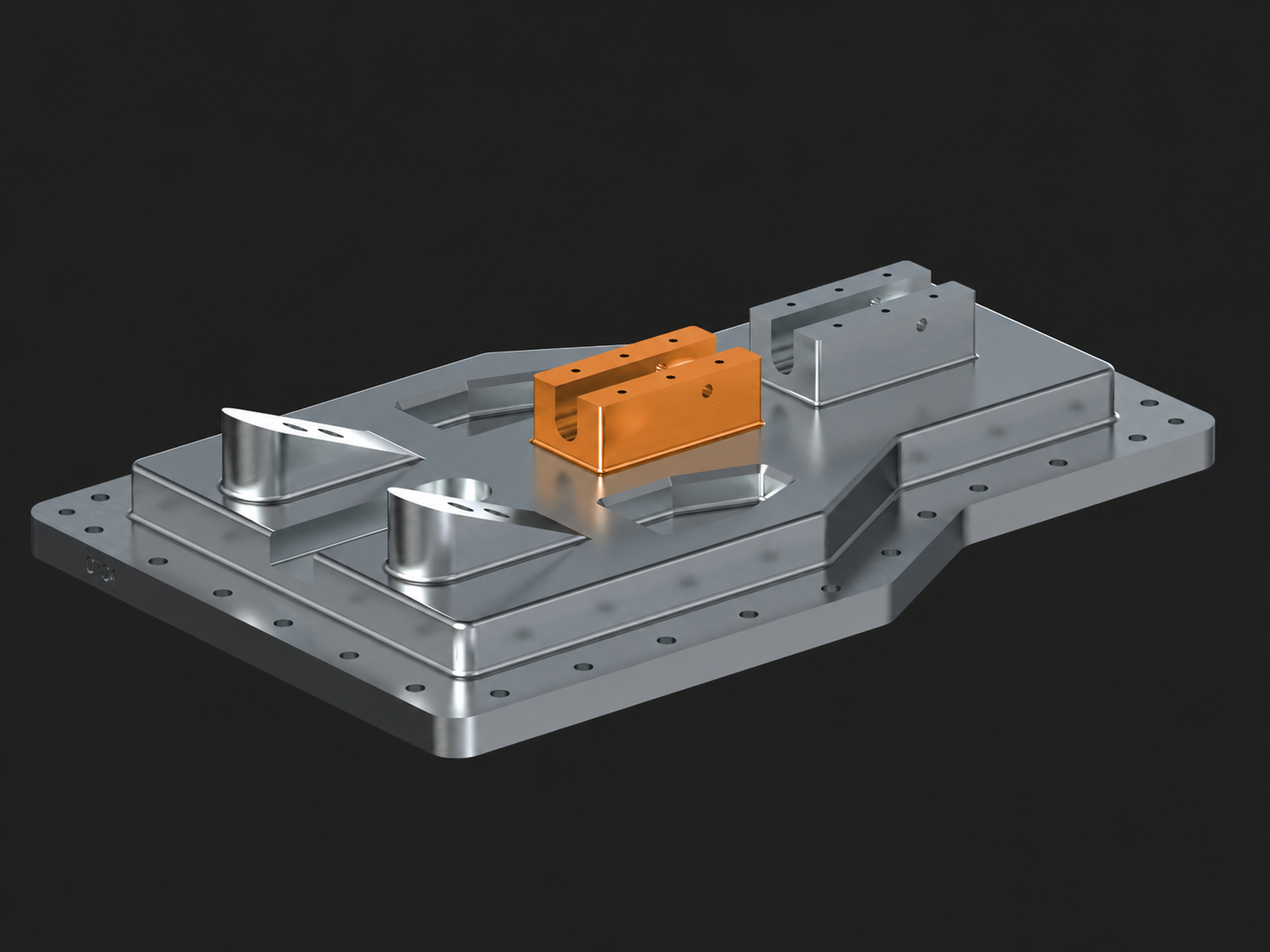
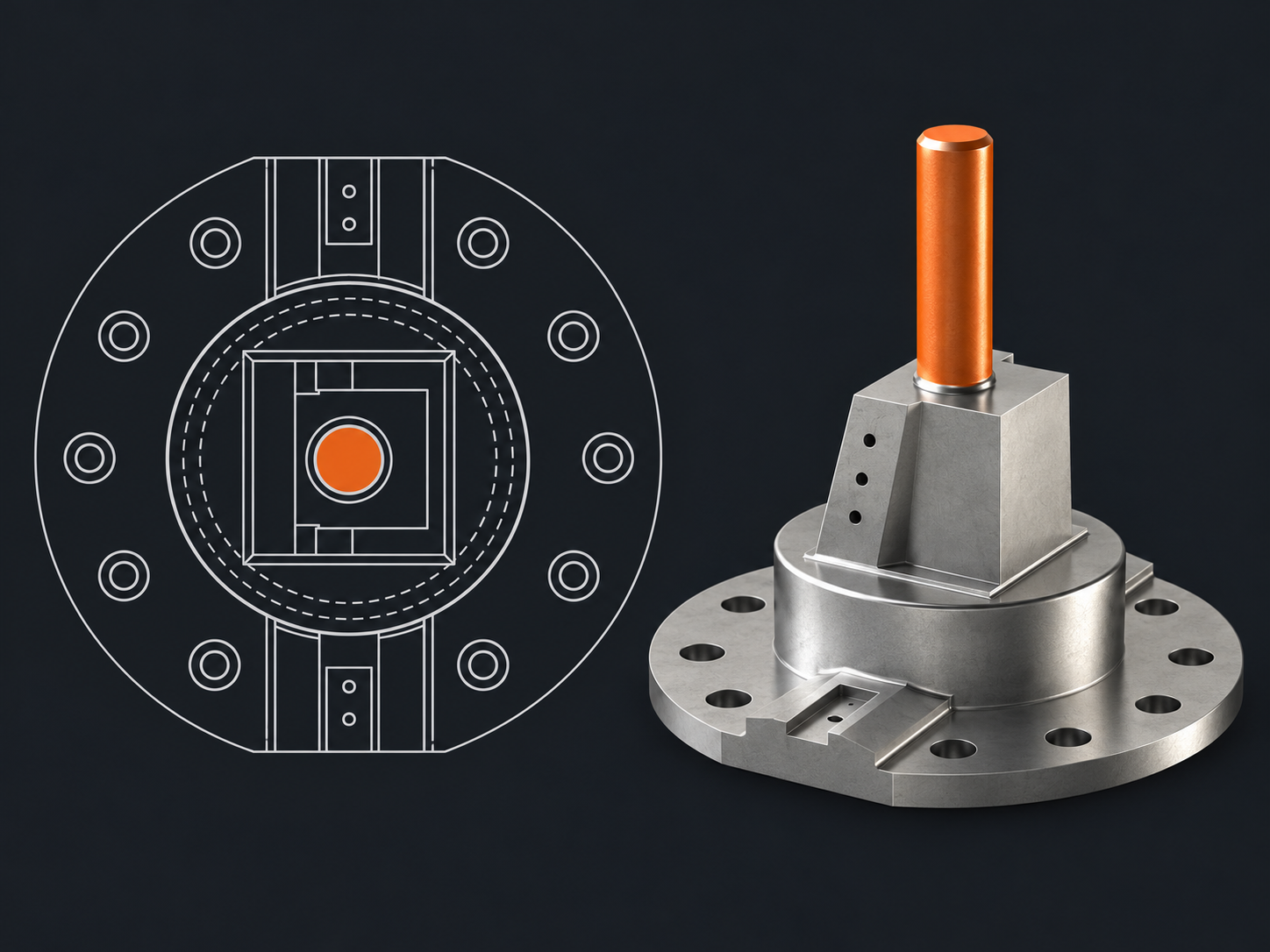
The task: A larger hole spacing should modify the associated hole group. A different wedge inclination should guide the aligned holes. Independent functional areas should retain their shape.
The test: In selected in-house NX test cases, we deliberately changed parameters. The number of features remained the same; unaffected hole groups remained unchanged. This allows us to test on the actual model whether a change affects the intended elements.
The benefit: The result shows which relationships support a change. This allows for a professional assessment of the model structure and the intended change to the specific component.
From template to parametric NX model
Not every design task begins with a clean 3D model. Often, a 2D drawing, a photo, a mesh model, or an imported component is the starting point.
01
2D drawing, sketch and photo
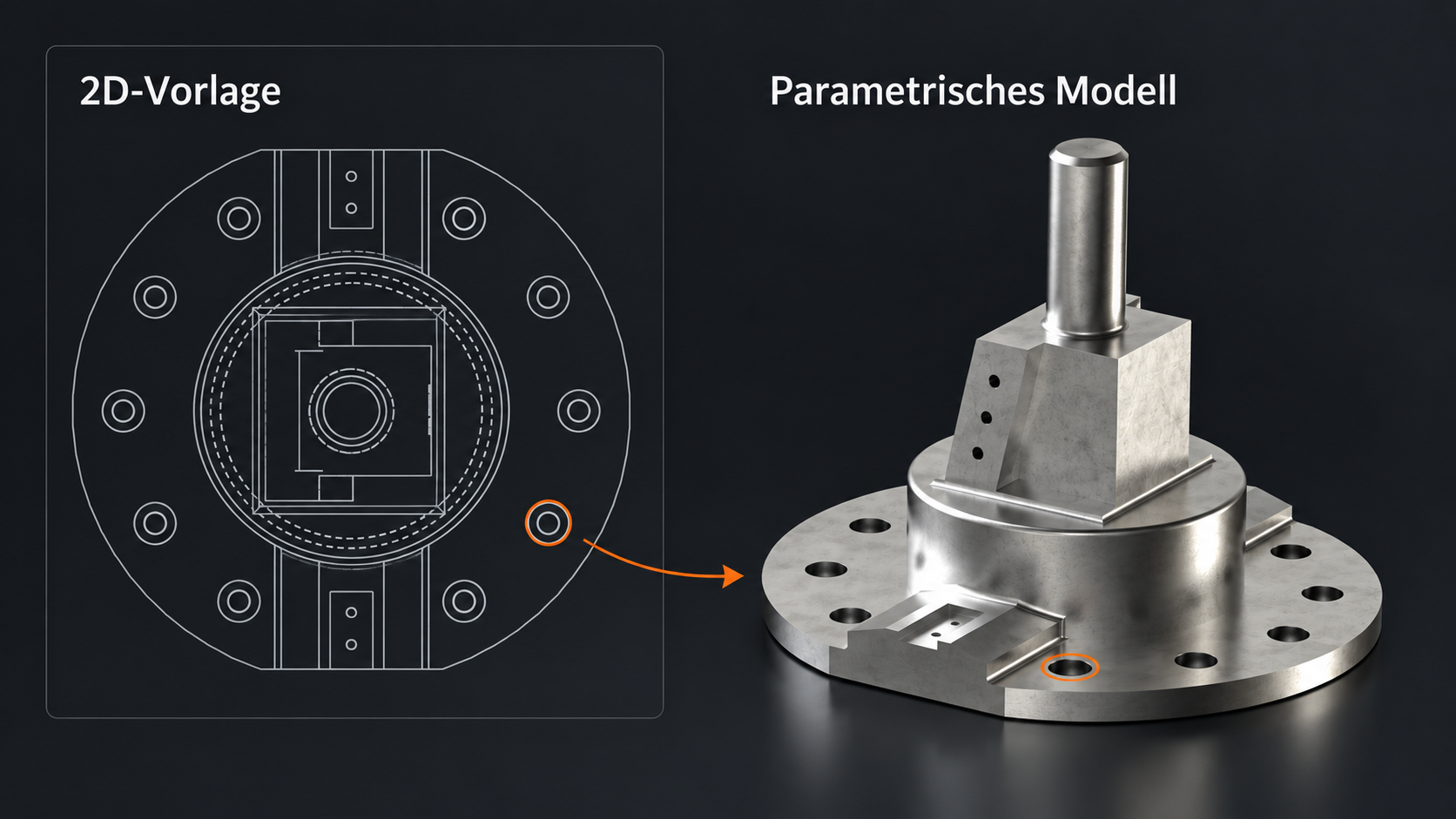
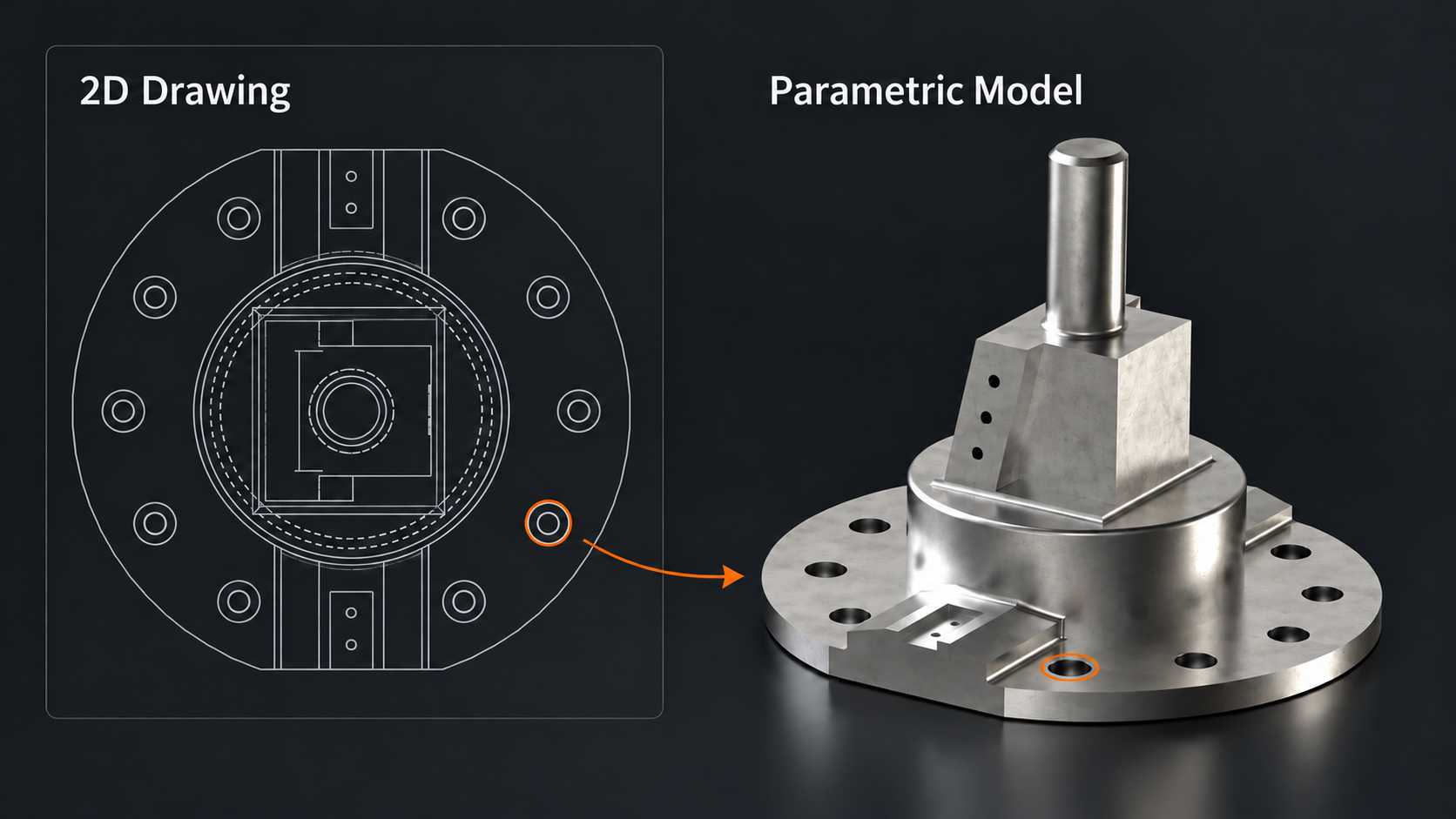
From 2D to 3D: Convert 2D drawings, sketches, and photos into a parametric CAD design. Geometries, dimensions, and assumptions form the basis for the model's construction. Missing information can be added and defined as editable parameters. This allows you to test the design and refine it methodically.
02
STEP, STL and scan data
Use CAD reconstruction to unlock existing external and mesh geometry for further design. Surfaces, holes, pockets, symmetries, and recurring elements provide starting points for methodical development. The goal is an editable CAD model with traceable features and adjustable parameters.
03
Existing NX parts
Use existing features, parameters, and references for modifications and variations. Analyze which elements are related and where the model structure hinders adjustments. References and feature sequences can be revised, and dimensions can be made accessible. This allows you to methodically develop your own and others' NX designs.
TOOLS THAT WORK TOGETHER
The product range for your design tasks
What would you like to achieve? Choose your design task and discover the right tools.
Further develop existing designs
Tool 1 of 3
Targeted modification of models
You continue to use the previously developed design logic and can track your changes to it.
A new requirement doesn't necessarily lead to a new model. The tools build upon existing NX features and selectively edit parameters, reference elements, and relationships – in both your own and others' designs.
The existing model structure remains the starting point. Necessary additions can be made; the design is further developed within its existing structure, instead of being replaced by a newly created substitute model.
Tool 2 of 3
Analyze the consequences of change
You prepare changes with a better understanding of their interrelationships.
Before changing a dimension or relationship, it's worth considering the context. Which features depend on it? Which references lead to other areas of the component or to other models?
The analysis helps to assign the relevant parameters, features, and reference elements to a requirement. This allows you to prepare the intervention and then specifically check whether the desired areas have been changed and what related effects need to be considered.
Tool 3 of 3
Improve editability
Your design will be easier to read, adopt, and methodically develop further.
A design can be geometrically correct and still make any adjustments unnecessarily difficult. Scattered dimensions, hard-to-understand dependencies, or unfavorable references make further work time-consuming.
Key parameters can be made accessible and references can be organized according to their function. A targeted revision of the reference structure and feature sequence supports a model design that facilitates recurring changes and adoption by colleagues.
1 / 3
Building new models and variants
Tool 1 of 3
Build CAD models from source material
A template becomes a design that you can further develop with features and parameters.
A 2D drawing, a sketch, or a photograph can be the starting point for a parametric NX design. The crucial factor is a comprehensible structure based on geometries, dimensions, features, and relationships.
Identifiable information and agreed-upon assumptions are incorporated into the model's construction. Missing dimensions or hidden areas are added during the development process. The relevant parameters are defined as editable settings so you can test and further refine the model.
Tool 2 of 3
Reconstruct imported and mesh geometry
You use existing geometry as a basis for further methodical construction.
Imported STEP geometry and STL or scan data often provide a shape, but not yet a readily accessible parametric structure. Therefore, the technical intent behind the surface is also crucial for further design.
Surfaces, holes, pockets, symmetries, and recurring elements provide starting points for a methodical reconstruction. The goal is an editable CAD model whose key dimensions, functional areas, and relationships are clearly defined. The initial data determines which information needs to be added.
Tool 3 of 3
Deriving variants from parameters
You develop different versions from a common, understandable basis.
Different dimensions, an additional function or a different design: product variants should reuse commonalities and specifically control their differences.
Key parameters and relationships connect a basic model with its various iterations. A methodical structure clarifies which elements remain common and which factors define a variant. This facilitates the further development of a product family, instead of having to start from scratch for each iteration.
1 / 3
Anchor requirements and quality in the model
Tool 1 of 3
Coordinate design intentions with PMI
You can more clearly link change requests to the affected model areas.
What should a component do, what requirements apply to which area, and what exactly needs to be changed? A clear dialogue requires a connection between the technical intention and the corresponding geometry.
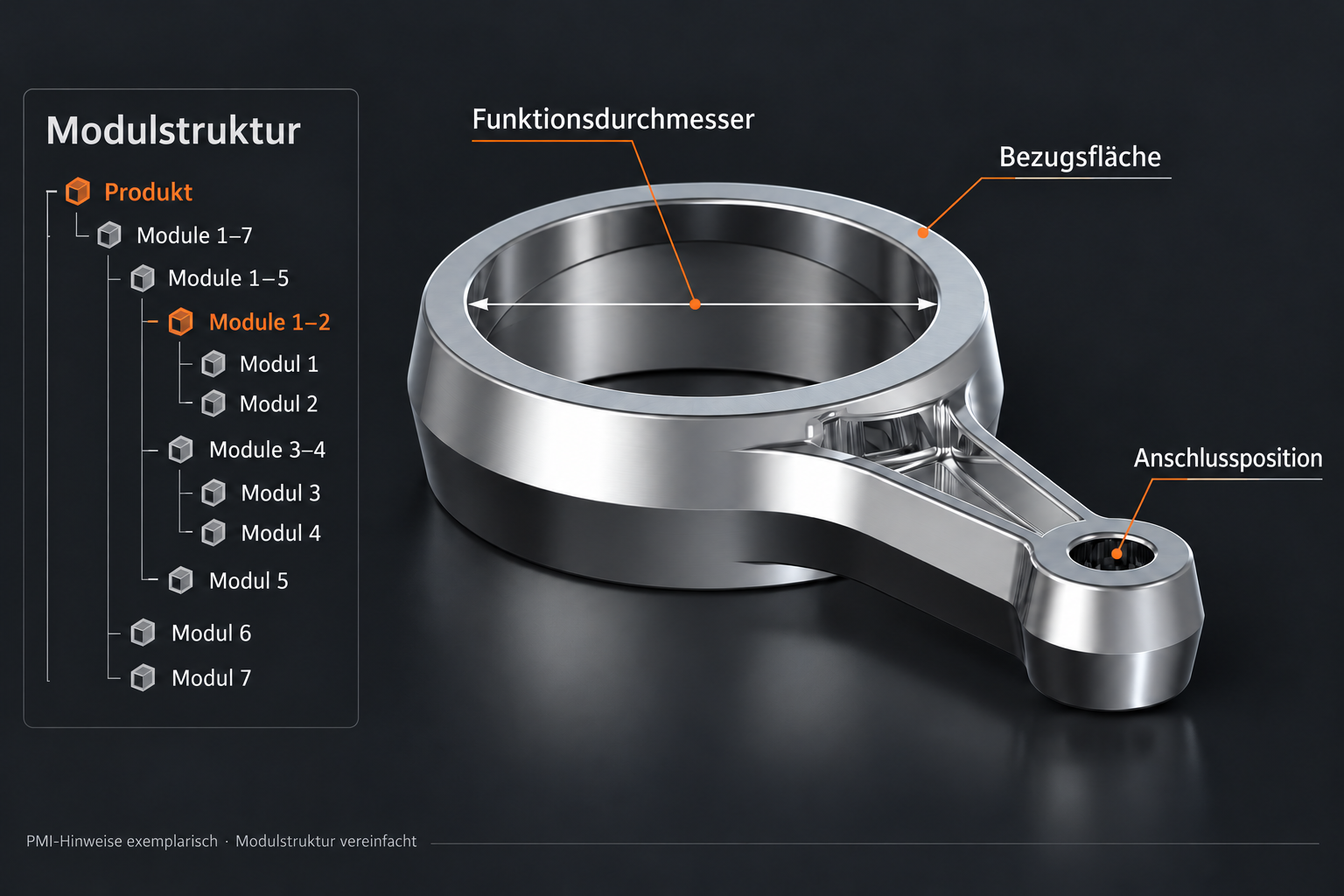
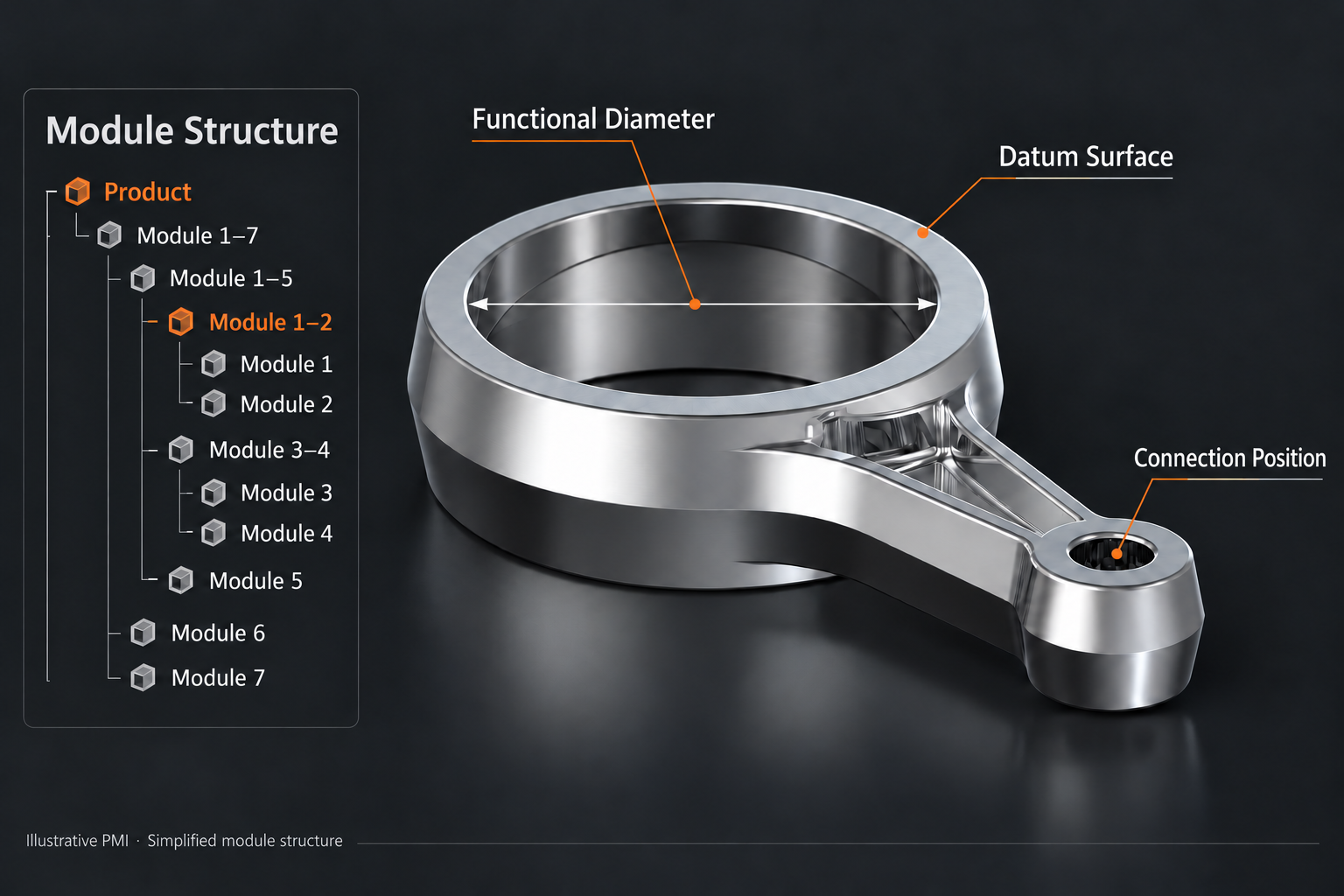
PMI supports this mapping directly on the model. Requirements and change requests can be considered in their context and coordinated before implementation. Thus, discussions with the assistant focus not only on individual dimensions but also on their functional significance.
Tool 2 of 3
Examine methods and models
You can identify where the comprehensibility and modifiability of the model structure can be improved.
The quality of a design is also evident behind its visible form: in sketches, parameters, selection rules, references, and dependencies. This structure determines how easily a model can be further developed.
A methodological review examines the structure and identifies areas for improvement. Feedback helps to identify unnecessary complexity, difficult-to-access parameters, or unfavorable relationships. The technical evaluation is conducted in the context of the specific design task.
Tool 3 of 3
Prepare model-based product definition
You prepare product information in an organized manner for model-based collaboration.
For a model-based product definition, geometry and product information must match. Crucially, it is important to know what information is already available, where it applies, and what information is missing for further processing.
MBD preparation supports the consolidation and structuring of this information. PMI and any identifiable gaps are prepared for expert review and further development. This creates a transparent basis for coordination surrounding the model.
1 / 3
Transferring the methodology into everyday work
Tool 1 of 4
Consider assemblies and interpart references
You are preparing models for collaboration in the context of products.
A component is often part of a larger context. Changes can affect reference elements, interfaces, and dependencies between multiple parts. For modular or configurable products, this context requires a clear structure.
The tools support the methodical preparation of NX designs: What information is shared? Which interfaces remain defined? How can models be reused for different implementations? This creates a foundation for the respective NX and Teamcenter context.
Tool 2 of 4
Build sheet metal designs methodically
You combine the geometry of your sheet metal parts with a comprehensible structural design.
For sheet metal parts, wall thicknesses, bends, cutouts, and their references are all interconnected. A modifiable design takes these relationships into account during the construction phase.
The AI support incorporates the specific logic of sheet metal design. Related features are considered in context, and key parameters are defined transparently. This allows adjustments and different designs to be based on a methodical foundation.
Tool 3 of 4
Include company rules
You support a common, understandable approach to design within the team.
Uniform models emerge through shared methods. Your design guidelines, recurring procedures, and testing rules can therefore be part of the workflow.
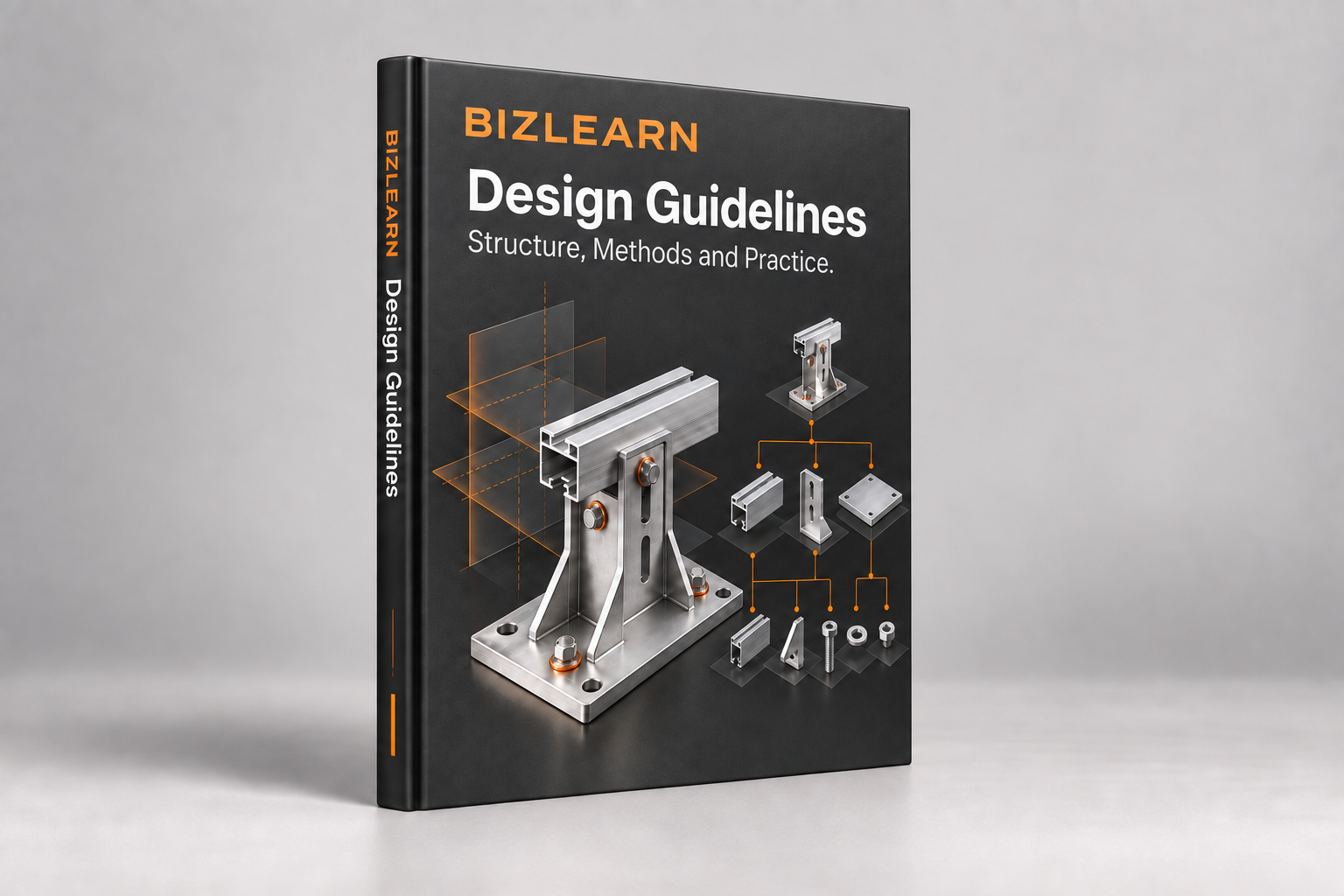
This connects AI support with your company's requirements. Conscious references, easily understandable building blocks, and a structured model facilitate collaboration. The Bizlearn Design Guideline provides a methodological foundation for this, which can be further refined for specific applications.
Tool 4 of 4
Learn through design tasks
You combine practical application with a better understanding of the design methodology.
A concrete task reveals whether the method has been understood. Practical exercises can therefore be combined with an examination of the resulting model structure.
Feedback on parameters, references, and design methods makes the relationships comprehensible. This supports team development and connects the application of the tools with an understanding of the underlying CAD logic.
1 / 4
NEW PRODUCTION. EXISTING STRUCTURE.
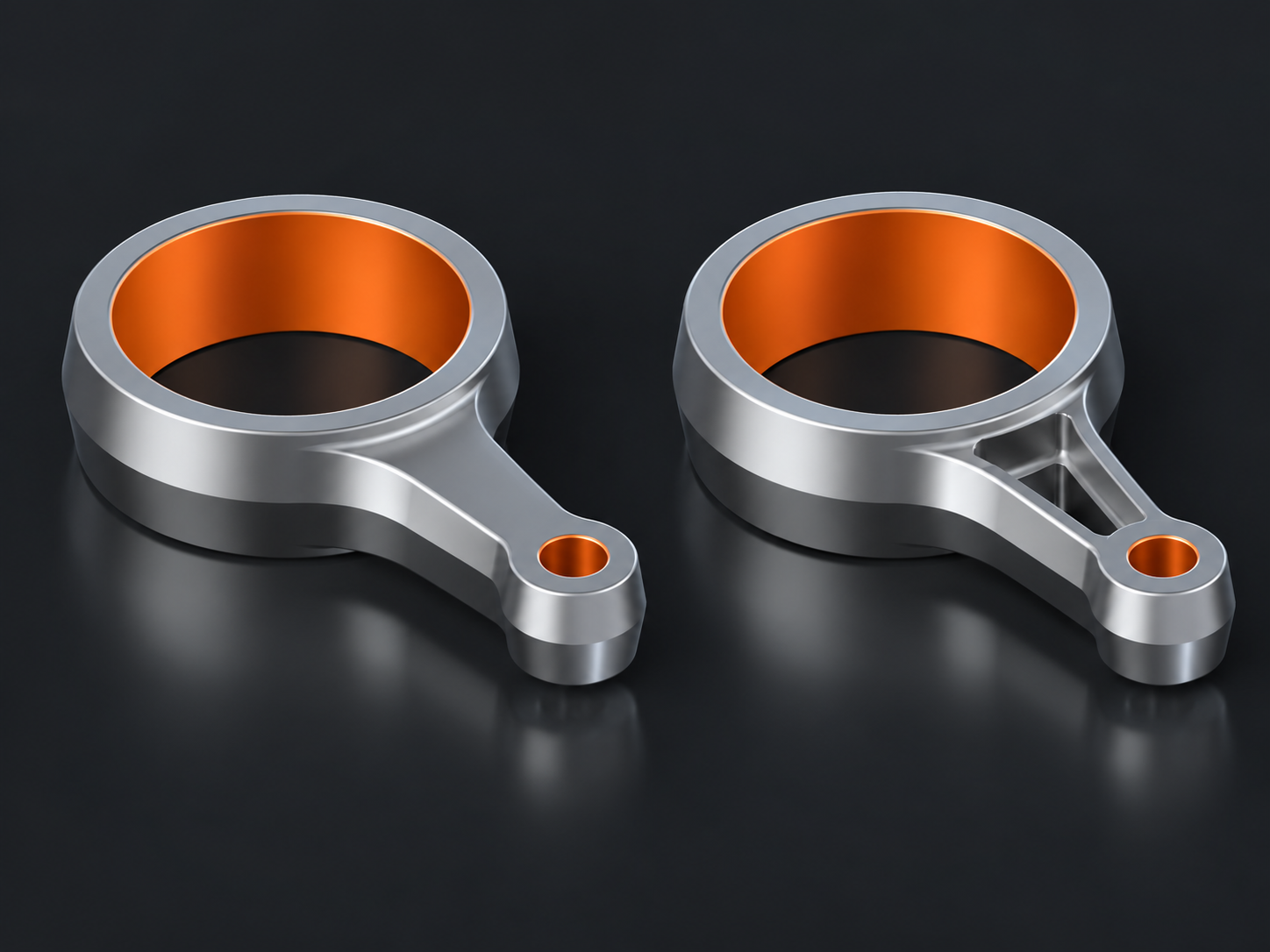
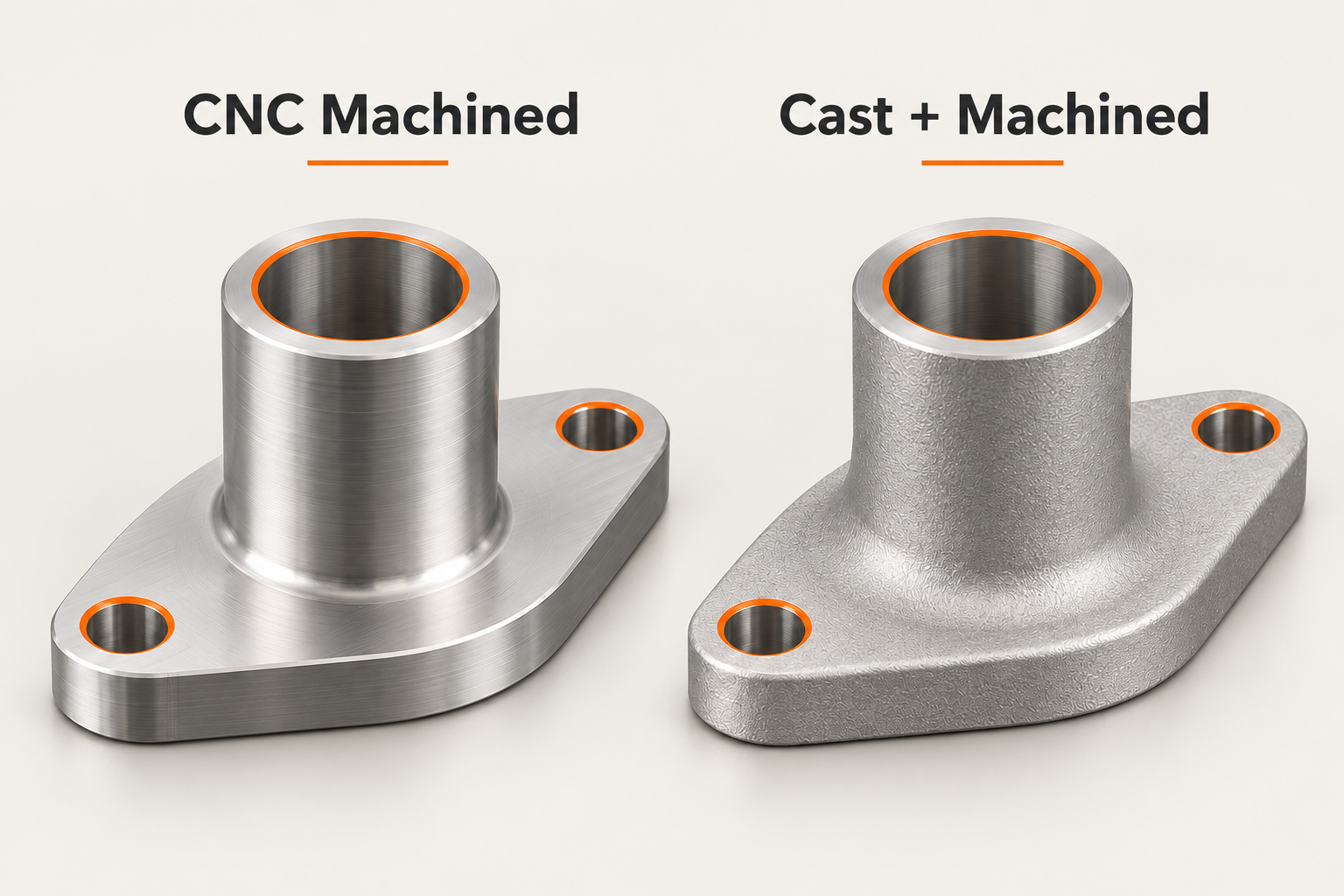
Change the manufacturing method. Retain the design work.
A different manufacturing process may require different wall thicknesses, transitions, or stiffening. The existing design logic remains the starting point for the modification.
Our tools reuse existing features, adapting their relationships and order, and adding necessary functions. Elements are removed where they are superfluous in the new structure.
This is how you further develop the design for a different manufacturing method. Relevant reference elements and the effects on linked models are checked during the modification.
METHODICALLY PREPARE PRODUCT VARIANTS
Prepare designs for product variants.
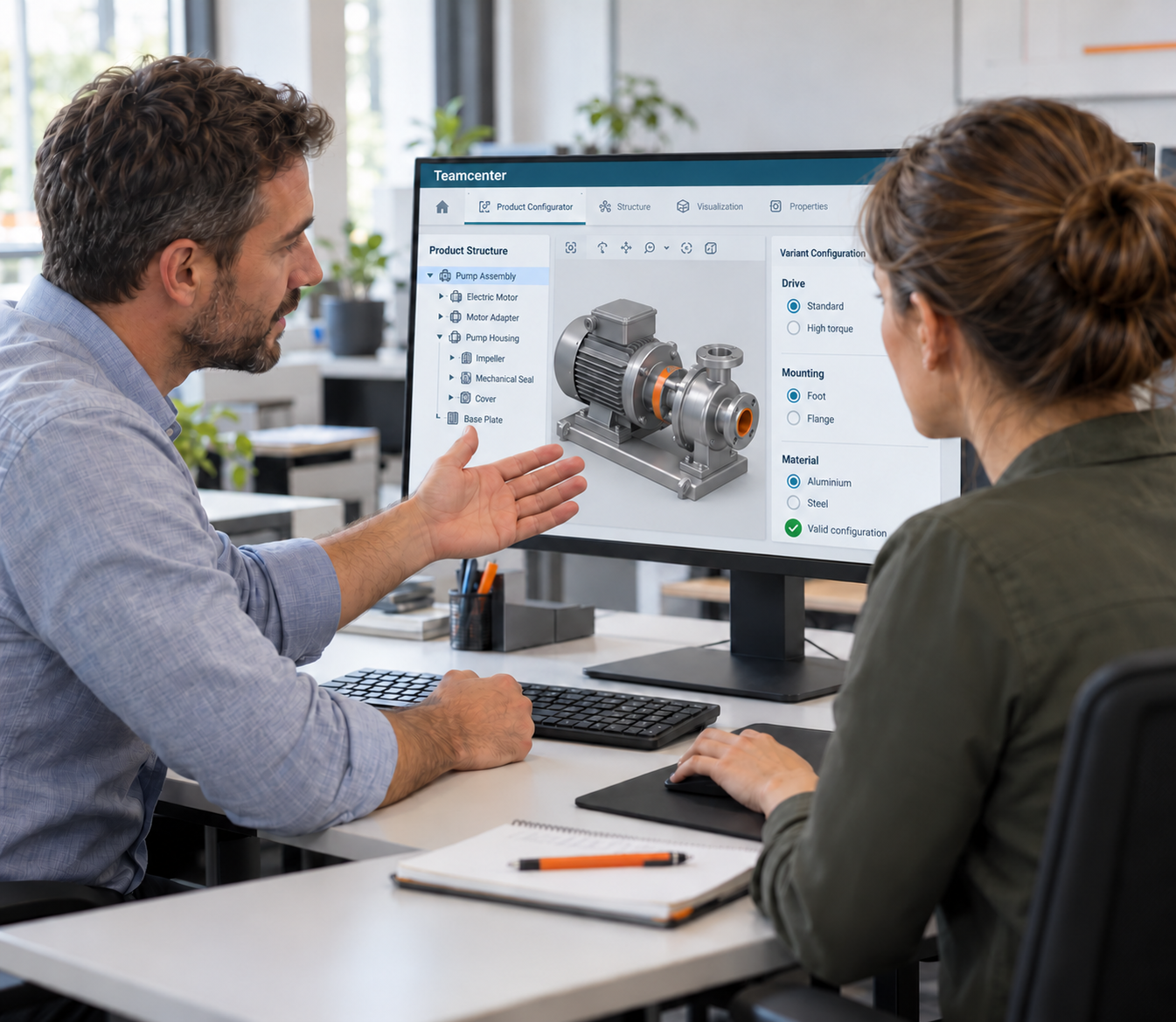
Teamcenter Product Configurator manages product options and permissible combinations. The associated NX design requires suitable modules, control parameters, and defined interfaces so that a selected variant can be geometrically represented.
Our AI tools analyze existing models and prepare their structure: reference elements and interfaces are organized, dependencies are adjusted, and existing features are continued wherever possible. This facilitates the reuse of modules in different versions.
Teamcenter manages the product configuration; the NX methodology supports its geometric implementation. How the two interact is tailored to your product architecture and your NX/Teamcenter environment.
Clear requirements. Targeted changes.
Clearly communicate the design intention.
What needs to change, which functions must be retained, and what requirements apply? An AI assistant needs clear goals. You describe the task, coordinate the technical aspects, and evaluate the result.
A hole spacing can be a functional dimension; a surface can define the position of a module. Reference systems, parameters, and feature groups make such relationships traceable. PMI can directly link the associated product and manufacturing requirements to the relevant model areas.
This allows requirements to be coordinated within the model context – even for different product variants. The accompanying training teaches you how to formulate requirements clearly, classify model references, and technically review changes. A solid understanding of design remains the foundation for working with AI.
EXPERIENCE BECOMES DESIGN LOGIC
Developed from training practice. Further developed for design.
I'm Simon, an NX trainer and methods developer. In my training courses, I teach designers how to consciously choose references, build simple building blocks, and understand their colleagues' models.
The Bizlearn NX Design Guideline emerged from working with customers. Connectivity, simplicity, and modularity form its framework. For AI support, I supplemented this user foundation with more in-depth rules for object relationships, processes, and validations.
How training scripts became AI-supported design
The guideline is written for users. For AI support, I've supplemented this foundation with more in-depth rules: Which objects are needed? What do they refer to? In what order are they created? What should happen when a change occurs – and what should remain independent?
Initially, methodological process descriptions for training courses and videos were created from 2D drawings. From this, the next idea developed: The AI should also execute this procedure in Siemens NX.
This is how our product approach came about: transferring design methodology into executable processes, structuring new models, and further developing existing designs based on their existing features.
The foundation for users. Further developed for AI.
Deliberately chosen references, simple building blocks, and logically structured modules: The Bizlearn Design Guideline conveys these principles as a common working method for designers. It is designed to be cross-industry and cross-product and can complement your existing design specifications.
Our AI tools build upon this. Additional rules for object relationships, processes, and checks transfer the methodology into automated processing.
Frequently asked questions about AI-assisted design with Designcenter NX
Does the AI assistant generate parametric CAD models with a feature tree?
Yes. The approach is based on native constructions in Designcenter NX The model is aligned with sketches, features, parameters, and relationships. The model history makes the structure traceable, allowing the CAD model to be further edited and used for creating variations.
Can AI modify existing CAD models?
Yes. Modifying existing designs is a dedicated part of our product range. Our AI assistant uses the existing model structure and applies the requested change to suitable features, parameters and reference elements. For imported geometry, rebuilding the relevant areas methodically may be appropriate.
What does AI-powered CAD automation mean?
An AI-powered CAD assistant supports coherent workflows during model creation, modifications, and verification. Our tools combine this CAD automation with design methodology: suitable features, parameters, and references form a traceable process. Goals and requirements are aligned; the result is professionally evaluated.
What happens to references in assemblies and drawings?
We modify the existing model and retain existing features and reference elements wherever possible. This reduces the risk of linked assemblies, drawings, or other model references losing their connection through a replacement model. The result is checked to determine which references are affected by a specific change and whether they will be preserved. Changes to the surface or edge structure are given particular consideration.
Which templates can I use?
The range of available data includes 2D drawings, sketches, photos, as well as STEP, STL, and scan data. The information content determines the starting point: a photo, for example, may not contain complete dimensions or may reveal hidden geometries. Such information is added during the development process and made usable as parameters.
What role does Teamcenter play in product configuration?
Teamcenter manages product options, rules, and configuration states. Our AI tools support the methodical preparation and further development of the associated NX designs. Suitable modules, reference elements, and interfaces are considered for this purpose. How configuration and geometry interact depends on the product structure and the NX/Teamcenter environment used.
What role do PMI and MBD play?
PMI links product and change requirements to the model. The dialogue facilitates their coordination. MBD preparation helps to consolidate information and identify gaps for further technical processing.
Can our design methodology be incorporated?
Yes. Company-specific rules and recurring procedures are part of the package. This combines AI support with your requirements for model building and collaboration.
How can we begin with a concrete application?
In our discussion, we'll look at your task, the available data, and the desired benefits. A guided pilot project on a suitable application can serve as a starting point.
YOUR NEXT STEP
Which of your Designcenter NX tasks would you like to simplify?
Building a new model from existing documents, modifying a design in a targeted way, or methodically deriving variants: Let's talk about your task.
Explore the possibilities of your application
In a guided pilot project, we'll work on a suitable task from your everyday design work. Together, we'll define what needs improvement in the model and how we'll evaluate the results. This way, you'll gain practical experience with the tools and create a foundation for their use within your team.