
Designcenter NX Beginner training · Basic Design Training
Get to know NX.
A structured approach
from the start.
Your journey begins with an assembly. You put together existing components, learn about NX, and develop your first models based on that.
Discover the beginner video bundle ↓
With Simon · Your trainer for practical application

Our introduction to Siemens NX
Assemble it first.
Then build it yourself.
As children, we initially assemble existing building blocks. Only later do we design our own. Our learning path embraces this intuitive concept: You start with existing components, learn important operating principles, and then develop your own constructions based on these.
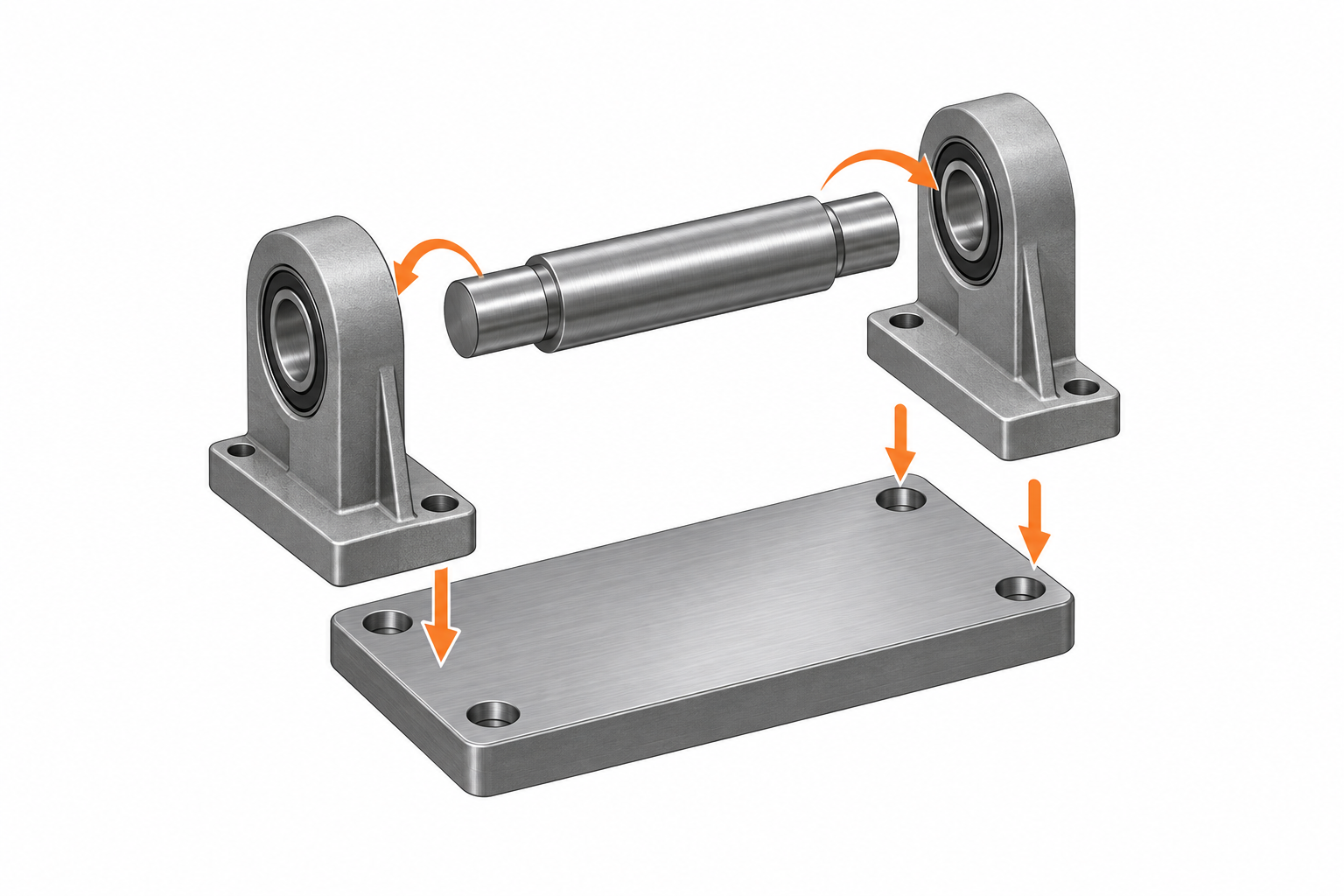
Put together
Start with assemblies
You insert components, position them, and define constraints. In doing so, you learn about NX through a manageable task and understand how components are interconnected.
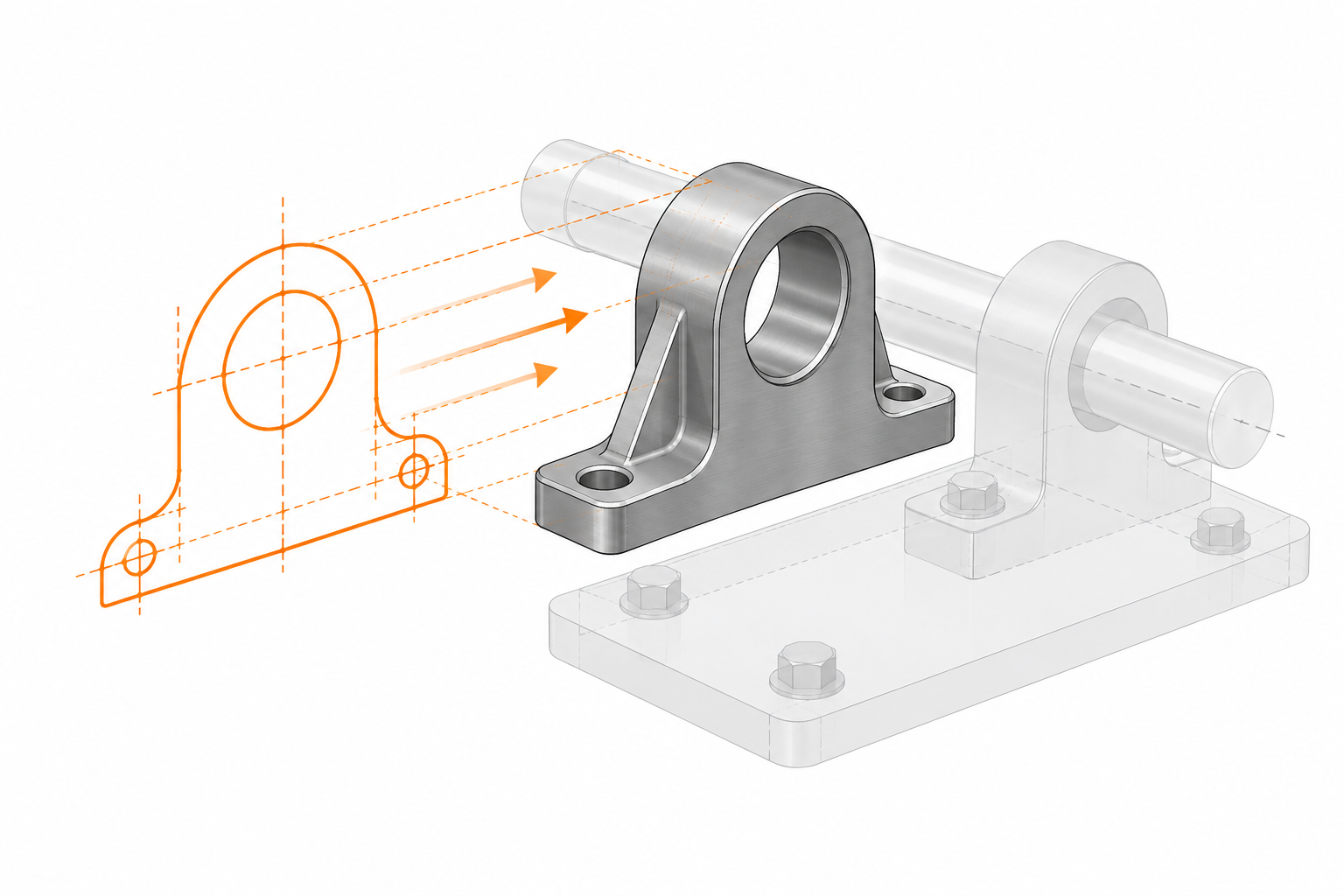
model it yourself
Building on what is already known
Navigation, selection, and references are already familiar to you. Now you'll design your own individual parts and consider their use within the overall model. Finally, Rapid Basics will guide you back to designing within an assembly.
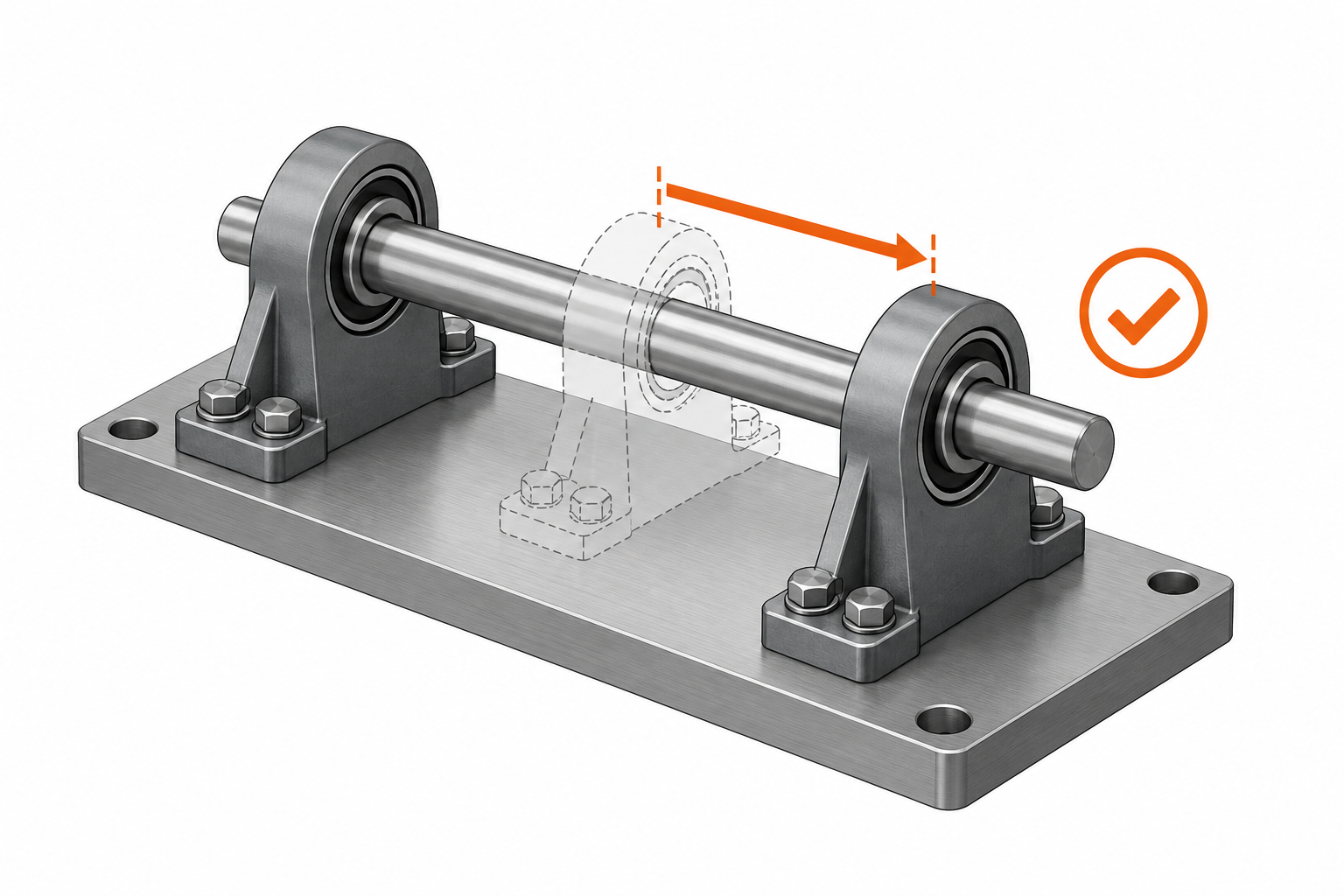
Change & check
The design proves its worth
We plan for potential changes and actually implement them. This shows whether the references and model structure work – and whether colleagues can understand and further develop your design.
You will practice a comprehensible design process that proves its worth when changes are made. Functions and methods will appear repeatedly in different tasks – thus solidifying your knowledge in a practical context.
Your starter package
The NX
Beginner Video Bundle.
Basic and advanced video training. Your personal learning path.
For designers, Rapid Basics, New Sketch Solver, and CAD Secrets provide an entry point. Those who primarily use NX for viewing and checking can start with Rapid Basics. The available advanced video training courses are already included in the bundle.
We tailor the enrollment to your tasks and prior knowledge. You don't have to complete all the courses.
Your bundle advantage: The included training courses are cheaper together than if booked individually.
Included in the bundle
- 12 months access to the Bizlearn Online Campus
- 12 months of personal support from Simon*
- NX Rapid Basics: Assemblies and 3D Modeling
- Siemens NX New Sketch Solver Training
- Siemens NX CAD Secrets Training
- Access to all available individual training sessions for advanced learners
- Siemens NX Design Guideline as a reference guide
* Access and support are valid for twelve months from enrollment in the respective course. Simon will personally support you – also with NX-related questions from your everyday work, within the scope of his capabilities.
Your common foundation
Three core training sessions.
A well-thought-out introduction.
For everyday design work, these three modules form the common foundation: using NX, confidently creating sketches, and understanding design methods. Those who primarily use NX for viewing, measuring, or other tasks without their own design work often only need Rapid Basics as a starting point. Therefore, sketching training is a separate module – your learning path is tailored to your specific tasks.
NX Rapid Basics
Assemblies and 3D modeling
Assemble components and use them to design your own 3D models. You will learn NX using existing components and then examine how your design can be modified in a targeted way.
NX New Sketch Solver
Define sketches in a targeted way
Learn to build sketches systematically and use the Sketch Solver confidently. You will learn to determine geometry effectively and use simple, easily modifiable sketches as the basis for your designs.
NX CAD Secrets
Make more of your knowledge
Get more out of NX: You'll discover often overlooked connections and practical methods. This will help you understand the software better and use your knowledge for more stable models and improved workflows.
Specializations and in-depth live training
Your tasks.
The right training sessions.
After covering the basics, you choose the topics you actually need. The following video training courses are included in your bundle. You can add the two-day live webinar (Module 12) separately.
04 · DRAWINGS
NX Drafting
Derive drawings from your model, create views, and clearly present dimensions. This is how you prepare the information from your design for further use.
05 · FREEFORM
NX Freeform Design
Create and edit freeform surfaces with precision. You will develop shapes beyond simple basic bodies and learn methods for adapting even complex geometries.
06 · SHEET METAL
NX Sheet Metal Design
You will learn to systematically build sheet metal components and generate suitable flat patterns. You will learn to implement sheet metal designs in a structured way in NX and prepare your model for later modifications.
07 · LINKS
NX WAVE Design
You will learn to strategically link components and further develop coherent designs. You will learn to utilize geometry between components and consciously establish the relationships within your models.
08 · VARIANTS
NX Variant Design
Create structured variations and efficiently utilize recurring designs. You will learn to strategically reuse commonalities and represent differences within your models.
09 · VISUALIZATION
NX Rendering
You visualize your models clearly and present products convincingly. You prepare the presentation in such a way that the form and design of your construction become easily understandable.
10 · PRODUCT INFORMATION
NX PMI
Communicate product and manufacturing information directly on the 3D model. You supplement your design with easily understandable details and make them accessible for further use of the model.
11 · CLEARANCE ANALYSIS
NX Clearance Analysis
Check the installation space, distances, and potential collisions between components of an assembly. You will learn to examine the spatial relationships of your design and identify bottlenecks.
12 · LIVE DEEPENING
Two-day live webinar
Optional · Live training
With basic NX knowledge, you'll solve tasks directly with Simon and deepen your understanding of methods in the context of assemblies. Available individually or as a supplement; not included in the video bundle.
This will become your learning path
One bundle. Different tasks.
The modules can be combined to create suitable learning paths. These examples show how this can look in everyday life – we will coordinate the selection with you.
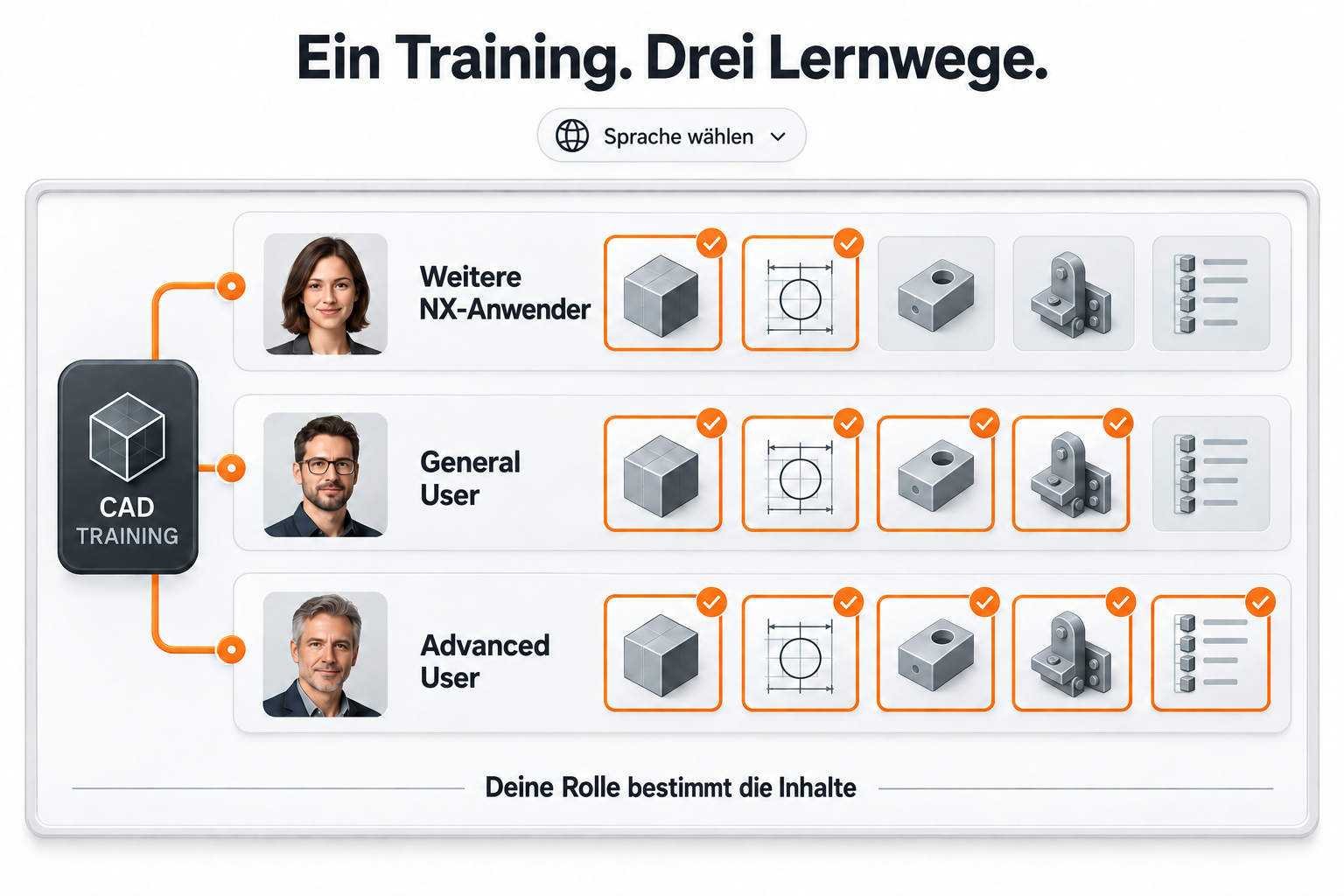
Occasional User
View, review or create drawings
- Starting point: NX Rapid Basics
- Depending on your tasks: for example NX Drafting for technical drawings
- Estimated learning duration: Approximately two to three training days for Rapid Basics; with Drafting, approximately two and a half to four training days in total.
For users who primarily use NX without their own 3D design capabilities.
General User
Design in everyday work
- Basis: Rapid Basics, New Sketch Solver and CAD Secrets
- Depending on your tasks: often Sheet Metal Design, supplemented by Variant Design or PMI
- Estimated learning duration: Approximately 4-5 learning days for the three core training courses, plus the selected specialist training courses.
The typical learning path for designers who develop their own models and assemblies.
Advanced User
Develop more complex forms
- Basis: Rapid Basics, New Sketch Solver and CAD Secrets
- Deepening: for example Freeform Design and WAVE Design
- Optional addition: two-day live webinar
- Estimated learning duration: Approximately 8–10 learning days for the three core trainings as well as Freeform and WAVE; optionally 2 additional live webinar days.
For example, for industrial designers or users with demanding surface and linking tasks.
The time estimates are guidelines, including exercises, compiled from the respective course durations. Prior knowledge and individual learning pace will affect the actual time required. The roles are examples, not fixed packages: You work through the relevant content from your video bundle. The live webinar can be booked separately.
A glimpse into the CAD secrets
Small steps.
Big impact.
Why "CAD Secrets"? NX contains many features that significantly simplify daily work – features that often remain hidden even to experienced designers. Connections that should be obvious become little secrets.
CAD Secrets makes this knowledge accessible: You understand how NX works, why models behave in certain ways, and how to derive stable, efficient design methods from this. Many of these fundamental concepts will also help you in other CAD systems.
The video shows you Simon's way of explaining things. In the training, these concepts are condensed into just a few hours – as a methodological supplement to your initial NX knowledge.
A method example for users with initial NX knowledge – your training begins with the basics.
This way the training suits you
Get started digitally.
Let's delve deeper together.
For CAD beginners and those switching from another CAD system. You learn at your own pace and apply the knowledge to practical tasks.
 YOUR VIDEO BUNDLE
Learn and apply
Work through the relevant video tutorials, practice the training modules, and review the content as needed. Knowledge questions will help you check your learning progress.
 OPTIONAL ADDITION
Two-day live webinar
With basic NX knowledge, you will solve design tasks together with Simon. This will reveal knowledge gaps and allow you to delve deeper into methods within the context of assembly.
 FOR YOUR COMPANY
Planned together
Whether you're training new colleagues or migrating a team to NX, we tailor learning paths and organizational frameworks to your needs. A dedicated learning platform is available upon request.
You'll learn the functions and settings you need for your next tasks. Instead of going through all the menus, we'll apply key concepts multiple times in different construction situations.
In Simon's experience, the combination of Rapid Basics, Drafting, and CAD Secrets covers a scope that would take approximately two weeks in a traditional introductory classroom course. The targeted video lessons shorten the learning path; your actual participation time depends on prior knowledge, exercises, and topic selection.
Standard training courses are offered in German and English; other languages are available upon request. Existing digital training courses are typically available within 24 hours of request.
Training support
Your trainer remains
Your contact person.
Twelve months of personal support – directly from Simon.
Simon will answer your questions himself. This support is included in the video bundle and does not require participation in the live webinar.
Even if the practice
raises new questions.
Whether it's learning content, unexpected behavior in the model, or a specific NX application question: Simon will support you within his capabilities, even beyond the course content.
More complex topics can be discussed together in a short remote meeting if needed.
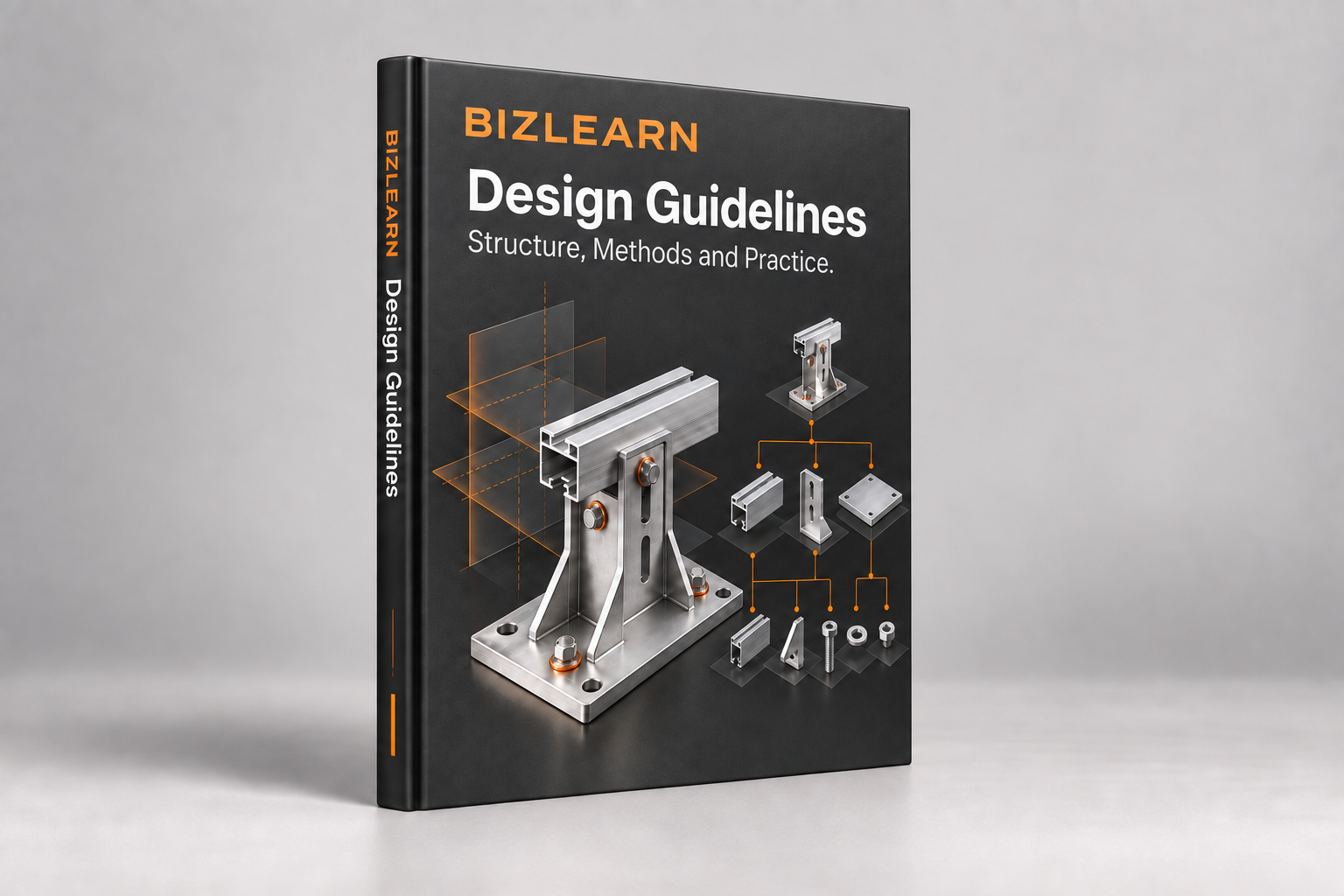
Included in the starter bundle
A shared
design methodology.
Understand in training, look it up in everyday life: The Siemens NX Design Guideline combines clear references, simple building blocks and a comprehensible model structure.
You will receive the guideline developed by Simon based on his experience with clients, presented as a reading guide. It complements your training sessions and provides a foundation for further work.
Answered briefly
Before you start.
Do I need prior CAD experience?
This introductory training is designed for both CAD beginners and those switching from other systems. We tailor the learning path to your prior knowledge and tasks. Basic NX knowledge is recommended for the supplementary live webinar.
Why does Rapid Basics start with assemblies?
You'll start by working with existing components. Inserting, positioning, and linking them will introduce you to NX through a manageable task. These operating principles and an understanding of references will then help you model your own components.
Do I have to complete all the included courses?
No. Your learning path is tailored to your needs. For designers, Rapid Basics, New Sketch Solver, and CAD Secrets form the foundation. For occasional users, Rapid Basics, supplemented with relevant topics, is often sufficient. We'll select additional courses together as needed.
Is drafting part of my learning path?
When you create drawings, your learning path can be supplemented with the corresponding training. You can also select other available specialist training courses from the bundle as needed. Not every participant requires the same content.
I'm already familiar with NX and just need a specialized topic. What would suit me?
Then targeted individual training for advanced users is an option. New Sketch Solver and CAD Secrets are also included. Topic Overview helps you with the selection; for a version change there is the NX CAD Update Bundle.
Your next step
How would you like to
get started with NX?
Tell us about your prior knowledge, tasks, and number of participants. Together we will create the right learning path.